Understanding Kubernetes Services and Ingress: How Applications Become Reachable
Deploying a Spring Boot application on Kubernetes is relatively straightforward. Making that application reliably reachable by users and…
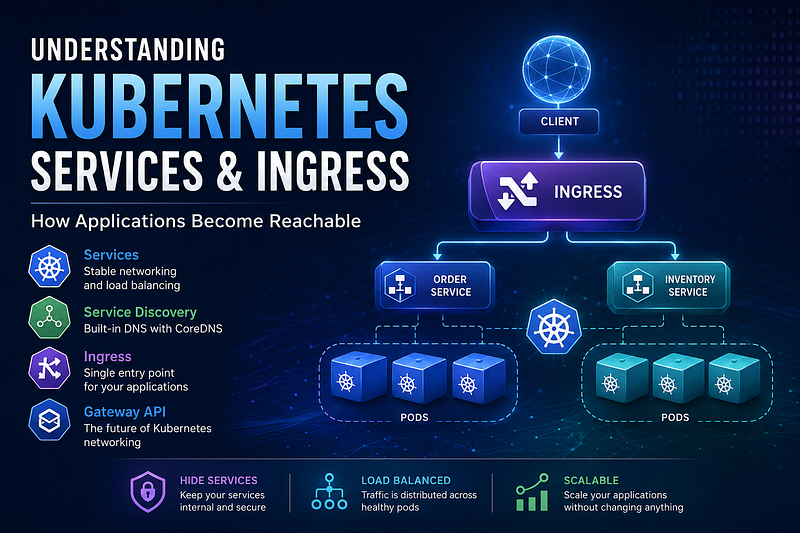
Deploying a Spring Boot application on Kubernetes is relatively straightforward. Making that application reliably reachable by users and other services is where the real networking story begins.
Most developers begin by deploying a Deployment and then accessing their application using kubectl port-forward. It works well for local development, but it also exposes an important limitation:
Pods are not designed to be accessed directly.
Kubernetes solves this problem in multiple layers.
- Deployments manage Pods.
- Services provide stable networking and load balancing.
- Ingress exposes applications to the outside world through a single entry point.
- Gateway API (the modern successor to Ingress) continues this evolution with more powerful routing capabilities.
In this article, we’ll understand why Kubernetes introduced each of these abstractions and how they work together.
The Problem with Deployments
A Deployment’s responsibility is to maintain the desired state of your application.
It can:
- Create Pods
- Restart failed Pods
- Scale replicas
- Perform rolling updates
A simple deployment might look like this:
             Deployment
                  │
          ┌───────┴────────┐
          │                │
       Order Pod 1     Order Pod 2
At first glance, everything looks fine. However, each Pod has its own IP address.
Order Pod 1
10.244.0.15

Order Pod 2
10.244.0.18
Now imagine Pod 1 crashes.
Old Pod
10.244.0.15

↓

Pod crashes

↓

New Pod
10.244.1.27
The replacement Pod receives a completely new IP address.
Any client communicating directly with the old Pod immediately loses connectivity.
This isn’t a bug.
It’s one of Kubernetes’ core design principles.
Pods are disposable.
They are expected to come and go throughout the lifetime of an application.
Why kubectl port-forward Isn’t the Solution
During development we often run:
kubectl port-forward deployment/order-service 8080:8080This creates a tunnel between your laptop and one Pod.
Laptop
   │
Port Forward
   │
Order Pod 1
While convenient, it has several limitations.
- It forwards traffic to only one Pod.
- There is no load balancing.
- If the Pod restarts, the tunnel breaks.
- It isn’t intended for production traffic.
Clearly, applications need a stable endpoint that survives Pod restarts.
That is exactly why Kubernetes introduced Services.
Kubernetes Services: A Stable Front Door
A Kubernetes Service sits in front of a group of Pods.
Instead of communicating with Pods directly, clients communicate with the Service.
              Client
                 │
                 ▼
         Kubernetes Service
          (Stable Virtual IP)
          ┌──────────────┐
          ▼              ▼
     Order Pod 1    Order Pod 2
Unlike Pods, a Service has a stable virtual IP.
No matter how many Pods restart, scale up, or scale down, the Service remains the same.
From the client’s perspective, nothing changes.
This abstraction solves several problems simultaneously.
- Stable endpoint
- Automatic failover
- Built-in load balancing
- Transparent scaling
Clients no longer care which Pod actually processes the request.
How Does a Service Know Which Pods Belong to It?
One of Kubernetes’ most elegant design decisions is that Services never reference Pods directly.
Instead, they use labels.
Suppose our Pods are created with the following label:
metadata:
  labels:
    app: order-service
The Service simply selects Pods matching that label.
selector:
  app: order-service
Service
selector: app=order-service
│
┌───────────┴────────────┐
│ │
app=order-service app=order-service
Pod 1 Pod 2Whenever new Pods appear with the same label, Kubernetes automatically adds them to the Service.
If Pods disappear, Kubernetes removes them.
There is no registration process.
No manual configuration.
Everything is dynamic.
ClusterIP: Internal Communication
The default Service type is ClusterIP.
Application A

       │

       ▼

 ClusterIP Service

       │

 ┌─────┴─────┐

 ▼           ▼

Pod 1      Pod 2
ClusterIP Services are accessible only inside the Kubernetes cluster.
This makes them ideal for service-to-service communication.
For local development, we still use:
kubectl port-forward service/order-service 8080:8080Notice the difference.
Previously, we forwarded traffic to a Deployment.
Now, we’re forwarding traffic to the Service.
Even though we’re still using port-forward, requests now pass through Kubernetes’ load balancing layer before reaching the Pods.
NodePort: Making a Service Public
Eventually, external clients also need access.
That’s where NodePort comes in.
A NodePort Service builds on top of ClusterIP.
Client

   │

localhost:30080

   │

NodePort Service

   │

ClusterIP

   │

Pods
When you expose a Service as NodePort, Kubernetes allocates a port on every worker node.
Now the application is accessible without using kubectl port-forward.
This is extremely convenient for local clusters and demonstrations.
However, NodePort introduces another problem.
Imagine an application consisting of ten microservices.
Order Service       :30080

Inventory Service   :30081

Payment Service     :30082

User Service        :30083

Shipping Service    :30084

Notification        :30085
Every service needs its own public port.
Clients must remember every one of them.
As applications grow, this approach quickly becomes difficult to manage.
Native Service Discovery
Modern applications rarely consist of a single service.
Suppose the Order Service needs to call the Inventory Service.
A traditional approach would use an IP address.
http://10.244.0.18:8080This immediately creates a problem.
Pods restart.
IPs change.
Instead, Kubernetes provides built-in service discovery through CoreDNS.
Every Service automatically receives a DNS entry.
#Instead of writing
http://10.244.0.18:8080

#We simply write
http://inventory-service:8080
What happens behind the scenes.
Order Service

      │

inventory-service

      │

    CoreDNS

      │

Inventory Service

      │

Inventory Pods
CoreDNS resolves the Service name into the Service’s virtual IP.
The Service then load balances the request across available Pods.
No custom discovery mechanism is required.
If your entire application runs inside Kubernetes, its native networking stack already provides service discovery and load balancing.
Why NodePort Doesn’t Scale
Although NodePort removes the need for port-forward, exposing every microservice individually isn’t a great long-term solution.
Clients end up managing multiple ports.
Every service becomes publicly accessible.
Routing logic leaks outside the cluster.
Production environments typically prefer a single public entry point.
That is exactly what Ingress provides.
Introducing Ingress
Ingress sits in front of all your Services.
Instead of exposing every Service individually, only the Ingress is public.
             Client

                │

                ▼

            Ingress

         ┌──────────┐

         ▼          ▼

 Order Service   Inventory Service

         │          │

       Pods       Pods
The client no longer worries about ports. Instead, requests are routed using URLs.
https://api.example.com/api/orders

https://api.example.com/api/inventory
Ingress decides which Service should receive each request.
Ingress Has Two Components
This is one of the most misunderstood parts of Kubernetes networking.
Ingress is actually composed of two separate pieces.
1. Ingress Resource
The Ingress Resource is simply a Kubernetes object that defines routing rules. For example:
/api/orders
        │
        ▼
order-service

/api/inventory
        │
        ▼
inventory-service
Think of it as configuration. It describes what should happen. It performs no routing itself.
2. Ingress Controller
Something still needs to read those rules and actually route traffic.
That’s the job of the Ingress Controller.
Popular implementations include:
- NGINX Ingress Controller
- Traefik
- HAProxy
The controller continuously watches Ingress Resources.
Whenever routing rules change, it updates its internal configuration automatically.
Without an Ingress Controller, an Ingress Resource is nothing more than a YAML file stored inside Kubernetes.
Complete Request Flow
Once everything is configured, a request follows this path.
Browser

   │

Ingress Controller

   │

Route:
/api/orders

   │

Order Service

   │

Inventory Service

   │

Inventory Pod
Each component has a single responsibility.
| Component  | Responsibility                       |
| ---------- | ------------------------------------ |
| Deployment | Manages Pods                         |
| Service    | Stable networking and load balancing |
| CoreDNS    | Service discovery                    |
| Ingress    | External routing                     |
| Pods       | Execute business logic               |
Each abstraction solves exactly one problem and composes cleanly with the others.
Looking Ahead: Gateway API
Ingress has been the standard approach for exposing applications for many years.
However, as Kubernetes networking evolved, the community introduced Gateway API.
Gateway API offers:
- More expressive routing rules
- Better traffic management
- Cleaner separation between infrastructure and application teams
- Greater extensibility
Although Gateway API is becoming the preferred direction, understanding Ingress remains essential.
Many production environments still rely on it, and the core networking concepts remain exactly the same.
In the next article, we’ll build on these concepts and explore why Kubernetes is moving from Ingress toward Gateway API, what problems Gateway API solves, and when you should consider adopting it.